Start with the requirements
Every offer has its own goals and eligibility rules. Read the details in JoyPlay before you play.
JoyPlay: QuestGlow
Discover games, complete daily quests, and keep your rewards in view. A little more fun in your downtime.

JoyPlay brings game discovery, daily goals and reward tracking together. Take a look inside the app.
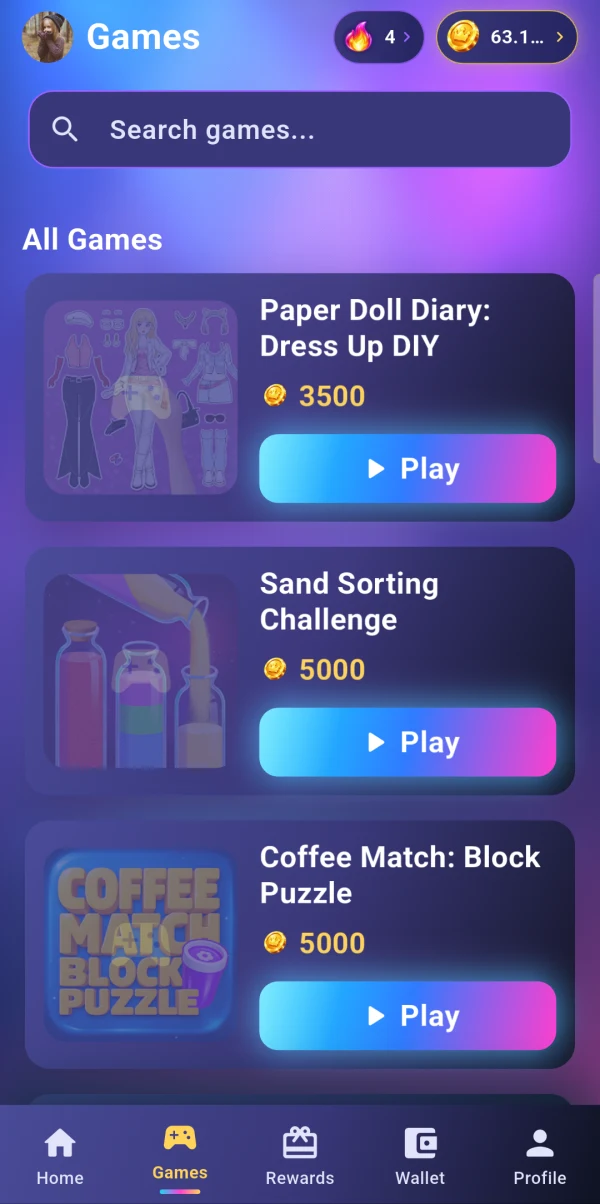
Browse game offers and check each quest’s requirements before you start.
View Games screen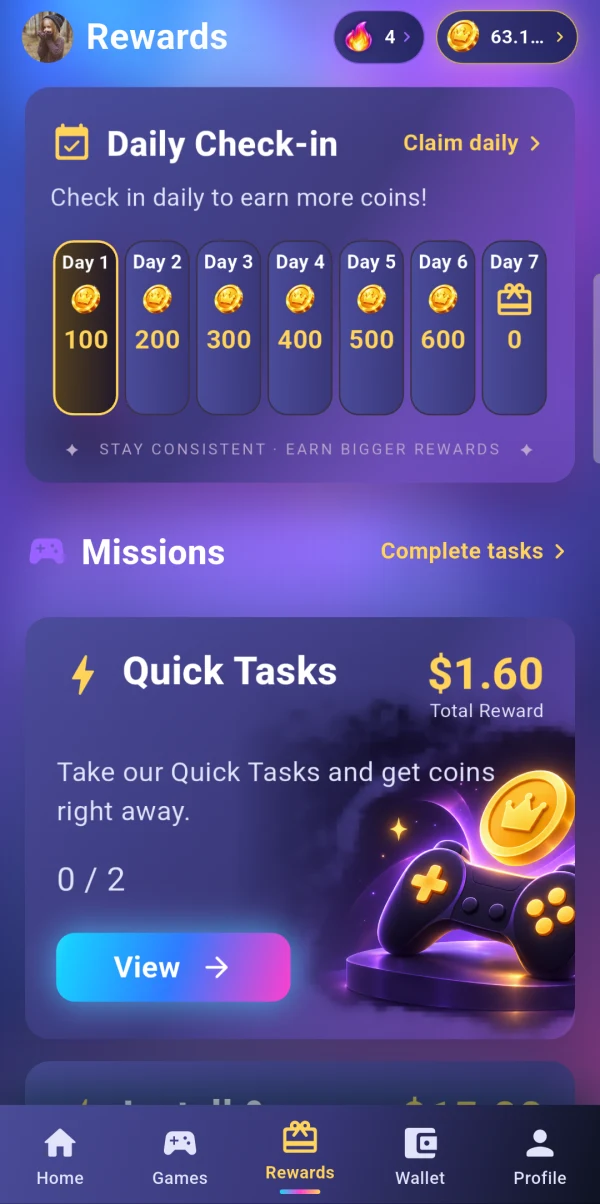
Check in, explore missions and complete the activities available to you.
View Rewards screen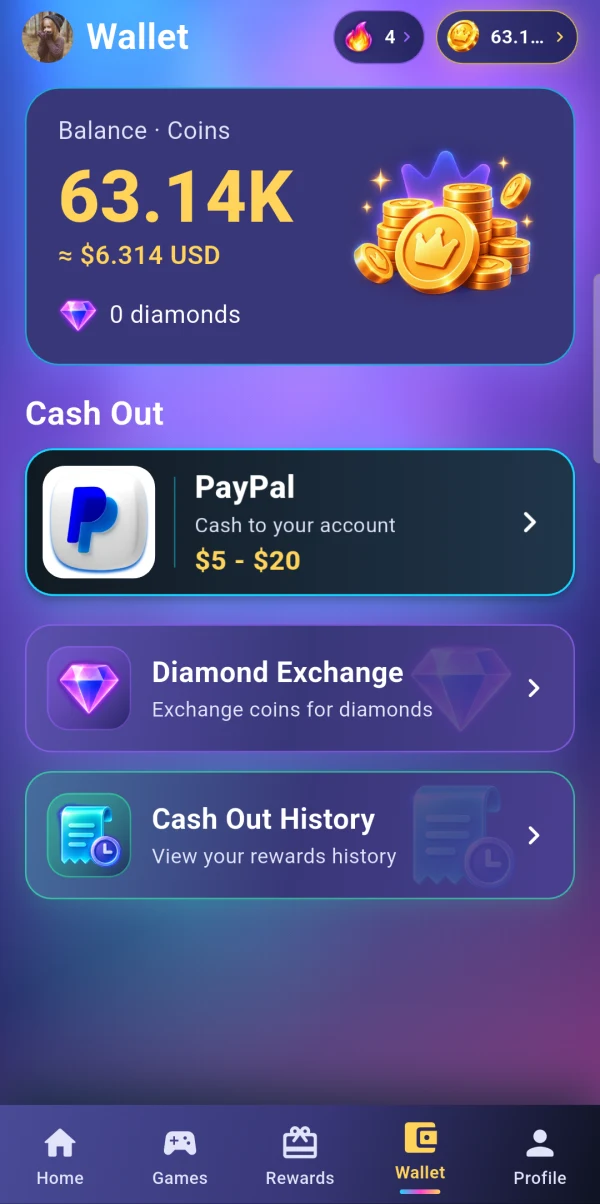
Check your coins, available redemption options and cash-out history.
View Wallet screenScreens shown are from JoyPlay. Balances and offers are examples, not promised earnings. Availability varies by account and region.

From a completed quest to your wallet, follow your progress in the app.
Read reward FAQsEvery offer has its own goals and eligibility rules. Read the details in JoyPlay before you play.
Eligible activity earns rewards after completion is verified. Some activities take longer to appear in your balance.
Open Wallet to see your options and any minimum balance or account checks. Follow your request in Cash Out History.
Rewards are subject to eligibility, verification and partner availability. No fixed earnings or processing time is guaranteed.
A few simple steps to get started with JoyPlay.
Download the Android app from this website, then open it to get started.
Installation helpExplore available games and activities. Check the goals, time limits and eligibility.
Follow the instructions in the app and allow time for your activity to be verified.
View your coin balance and explore the redemption options available to your account.
Answers about the app, your rewards and your account.
JoyPlay: QuestGlow is an Android app for discovering game offers, completing activity goals, checking in, joining events and tracking eligible rewards in your wallet.
Use the Get JoyPlay section to download the Android APK. This website does not currently provide an App Store or Google Play listing.
Games, tasks, payment methods and redemption options depend on your location, account and partner availability. Check the options displayed in the app.
You must be legally able to accept the User Agreement and meet the minimum age required by the laws in your location.
See our Privacy Policy for information about data collection, activity verification, permissions and your rights. For privacy or deletion requests, email privacy@getjoyplay.com.
Complete eligible activities shown in JoyPlay, such as game goals, check-ins or missions. Follow each offer’s rules. Rewards are credited when completion is verified.
Open Wallet and choose an available redemption option. Check its minimum balance and requirements. Redemptions may require account, identity or risk checks.
No. Reward amounts, availability and eligibility vary. In-app coins are not bank deposits. Invalid or unverifiable activity may result in rewards being delayed, adjusted or denied.
Activity verification, account review or payment partner processing may take time. Check the offer details and Cash Out History. If you need help, contact support with the offer name and relevant screenshots. Never send your password.
Verification helps confirm task completion and prevent fraudulent or duplicated rewards. Automated activity, account farming and manipulated installs are prohibited under the User Agreement.

Get JoyPlay: QuestGlow for Android.
Direct Android download. Review the User Agreement and Privacy Policy before using JoyPlay.

Device and organization settings may restrict APK installation. If installation fails, email support@getjoyplay.com with your device model, Android version and the error message.
Need a hand, or interested in working with us?